Select
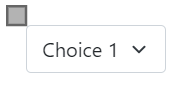
This element is a basic select. The graphic origin of the Select element corresponds with the geometric center of the Select element. A select element is a drop down list where you can choose one of its values.
This element must be used with HMI context.
Icon

HMI Representation
External parameters
You can edit the units
Show/Hide all parameters
| parameter | editable via "Parameter" tab | updatable via a controller | description | default unit | type |
|---|---|---|---|---|---|
| X-axis position | ✔️ | ✔️ | Position of the element on the X-axis. | px | Integer number |
| Y-axis position | ✔️ | ✔️ | Position of the element on the Y-axis. | px | Integer number |
| Visibility | ✔️ | ✔️ | This parameter allows you to choose if you want the element to be visible or not on the scene during the execution of the scenario. If the item is part of a group, it can inherit the value of that group. | - | Enumeration (visible, hidden, inherit) |
| Angle | ✔️ | ✔️ | Angle of rotation of the element compared to its initial position. | degree | Decimal number |
| Width management | ✔️ | ❌ | This parameter allows you to choose the type of width management | - | Enumeration(manual, auto) |
| Options | ✔️ | ✔️ | This parameter allows you to write the different choices the user can choose from. | - | Text seperated by ; |
| Select Index | ✔️ | ✔️ | Option's position of the of the default choice | - | Integer |
| Width | ✔️ | ❌ | Length of the element on the X-axis. Editable when Width management field is set at manual | px | Integer number |
| Height | ❌ | ❌ | Width of the element on the Y-axis. | px | Integer number |
Triggered behaviours
See Actions page for more explanation.
Show/Hide all triggered behaviours
Destroy
At the reception of the flow, the element is destroy.
No parameters for this triggered behaviour.
| triggered behaviours | parameter | description | unit | type |
|---|---|---|---|---|
| Add Options | Text | The text added to the different options of the Select each time the flow is sent or received | none | String |
| Remove Options | Text | The text removed to the different options of the Select each time the flow is sent or received | none | String |
Events
See Events page for more explanation.
Show/Hide all events
| event | description |
|---|---|
| On Parameter Value Changed | The element can send information to the model when the value of the selected parameter has changed |
| At initialization | The select element can send information to the model once at initialization |
| Continually | The select element can send information to the model continuously |
| On change | The select element can send information to the model each time you change the enumeration |