Chart
This element is a basic Chart. It is useful to display percentages or assigned values in your scenario, and to compare and clearly display those assigned values within your scenario.
This element must be used with HMI context.
Icon

HMI Representation
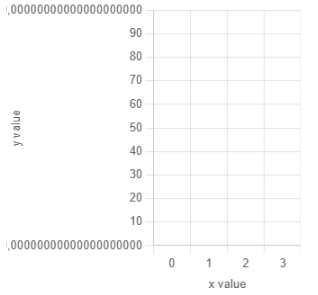
For the case when you select Bar chart in "Basic Parameters" :
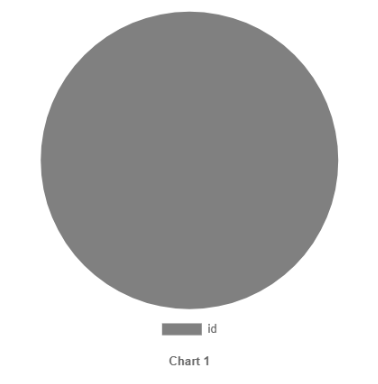
For the other case when you select Pie chart in "Basic Parameters" :
External parameters
Depending on the basic parameters, you will have two possible parameters according to the selected element :
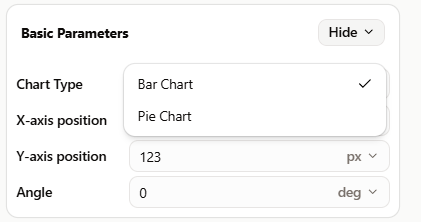
For the case when user selects "Pie Chart" : You can edit the units
Show/Hide all parameters
| parameter | editable via "Parameter" tab | updatable via a controller | description | default unit | type |
|---|---|---|---|---|---|
| X-axis position | ✔️ | ✔️ | Position of the element's on the X-axis. | px | Integer number |
| Y-axis position | ✔️ | ✔️ | Position of the element's on the Y-axis. | px | Integer number |
| Angle | ✔️ | ✔️ | Radius of the pie chart. | px | Decimal number |
| Visibility | ✔️ | ✔️ | This parameter allows you to choose if you want the element to be visible or not on the scene during the execution of the scenario. If the item is part of a group, it can inherit the value of that group. | - | Enumeration (visible, hidden, inherit) |
| Display Legend | ✔️ | ✔️ | Choose if you want to display slice caption or not. | - | Enumeration (✔️, ❌) |
| Width | ❌ | ❌ | Maximal length of the element on the X-axis. | px | Decimal number |
| Height | ❌ | ❌ | Maximal width of the element on the Y-axis. | px | Decimal number |
| Angle | ✔️ | ✔️ | Angle of rotation of the element compared to its initial position. | degree | Decimal number |
For the case when user selects "Bar Chart" : You can edit the units
Show/Hide all parameters
| parameter | editable via "Parameter" tab | updatable via a controller | description | default unit | type |
|---|---|---|---|---|---|
| X-axis position | ✔️ | ✔️ | Position of the element's on the X-axis. | px | Integer number |
| Y-axis position | ✔️ | ✔️ | Position of the element's on the Y-axis. | px | Integer number |
| Angle | ✔️ | ✔️ | Angle of rotation of the element compared to its initial position. | degree | Decimal number |
| Width | ✔️ | ✔️ | Maximal length of the element on the X-axis. | px | Decimal number |
| Height | ✔️ | ✔️ | Maximal width of the element on the Y-axis. | px | Decimal number |
| Visibility | ✔️ | ✔️ | This parameter allows you to choose if you want the element to be visible or not on the scene during the execution of the scenario. If the item is part of a group, it can inherit the value of that group. | - | Enumeration (visible, hidden, inherit) |
| Log Y Axis | ✔️ | ✔️ | Whether Y axis scale needs to be a linear (❌) or a logarithmic (✔️) scale. Presenting data on a logarithmic scale can be helpful when the data covers a large range of values. | - | Enumeration(✔️,❌) |
| Y label | ✔️ | ✔️ | Title informing of what is represented on the Y axis. | - | Text |
| Max Y value | ✔️ | ❌ | Maximum value displayed on the Y axis. | Unit param | Decimal number |
| Column Name | ✔️ | ❌ | Each column of your bar chart, split with the ";" character. Example: A;B;C | - | Text |
| X label | ✔️ | ✔️ | Title informing of what is represented on the X axis. | - | Text |
| Min Y value | ✔️ | ❌ | Minimum value displayed on the Y axis. | Unit param | Decimal number |
Triggered behaviours
See Actions page for more explanation.
For the casse of Pie chart :
Show/Hide all triggered behaviours
Destroy
At the reception of the flow, the element is destroy.
No parameters for this triggered behaviour.
Add/Update Slice
Add a slice on the pie chart or update it if it already exists.
Show/Hide all parameters
| parameters | description | default unit | type |
|---|---|---|---|
| ID | Slice id to add/update. | - | Text |
| Value | The longitude of the marker. | degree | Decimal number |
| Color | Color of the slice. This parameter can be edited. | - | Hexadecimal |
Clear Pie Chart
Clear all slices on the Pie Chart element.
No parameters for this triggered behaviour
Clear Slice
Clear a specific slice on the pie.
Show/Hide all parameters
| parameters | description | default unit | type |
|---|---|---|---|
| ID | Slice id to clear. | - | Text |
For the case of Bar chart :
Show/Hide all triggered behaviours
Destroy
At the reception of the flow, the element is destroy.
No parameters for this triggered behaviour.
Add/Update one Bar
Add slice on pie chart or update it if it already exist.
Show/Hide all parameters
| parameters | description | default unit | type |
|---|---|---|---|
| X Value | Bar id to add/update. | - | Text |
| Y Value | The value of the bar. | Unit param | Decimal number |
| Color | Color of the bar. This parameter can be edited. | - | Hexadecimal |
Clear one Bar
Clear one bar of bar chart element
Show/Hide all parameters
| parameters | description | default unit | type |
|---|---|---|---|
| X Value | Bar id to clear. | - | Text |
Clear All Bars
Clear all bars on Bar Chart element.
No parameters for this triggered behaviour
Events
See Events page for more explanation.
For the casse of Pie chart :
Show/Hide all events
| event | description |
|---|---|
| On Parameter Value Changed | The element can send information to the model when the value of the selected parameter has changed |
| At initialization | The pie chart can send information to the model once at initialization |
| Continually | The pie chart can send information to the model continuously |
For the case of Bar chart :
Show/Hide all events
| event | description |
|---|---|
| On Parameter Value Changed | The element can send information to the model when the value of the selected parameter has changed |
| At initialization | The bar chart can send information to the model once at initialization |
| Continually | The bar chart can send information to the model continuously |